
Meet Orbst: The All-in-One AI Document Workspace Built for Deep Research, Writing, and Study
Most "chat with your PDF" tools do one thing: they give you a text box next to a single file and return a summary. Once you get an answer, you still have to copy it into Google Docs or Word, hunt down the exact line in a 40-page PDF to verify it wasn't hallucinated, switch tools to make flashcards, and repeat the process for every file in your folder.
Orbst was built to replace that fragmented workflow with a single, citation-grounded workspace.
How Orbst Compares to Other AI Document Tools
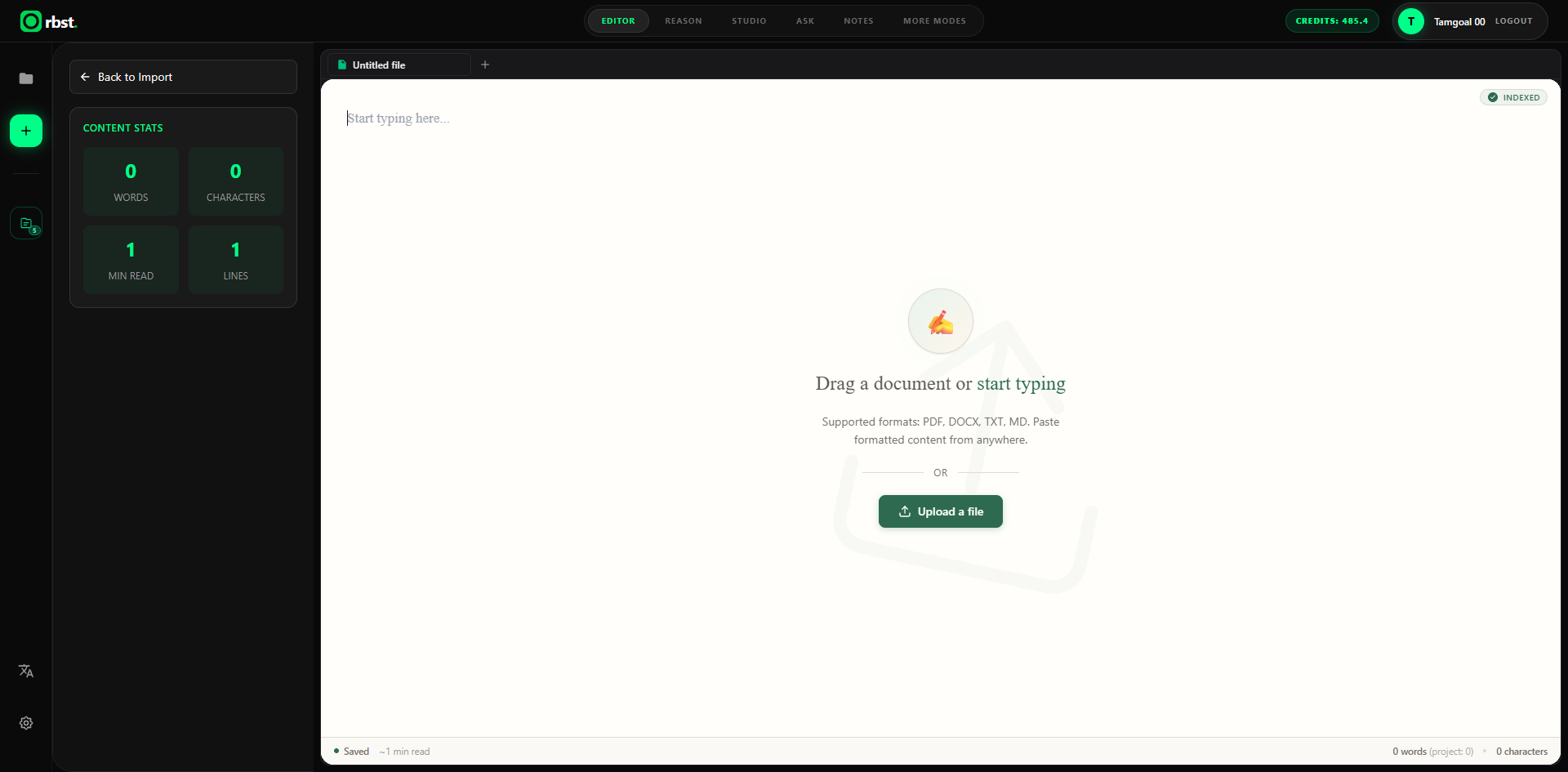
Every major document AI tool optimizes for a different slice of the workflow. Here is an honest look at where the leading alternatives shine—and where they leave gaps that Orbst is built to close:
| Capability | ChatPDF | NotebookLM | Humata AI | Adobe Acrobat AI | Orbst |
|---|---|---|---|---|---|
| Multi-file project chat | Paid / folders | Yes (per notebook) | Workspace folders | PDF Spaces | Unified project tabs + auto file-switch |
| Citation precision | Page-level | Excerpt preview | Page + snippets | Page / paragraph | Line-level PDF highlight + region select |
| Scanned PDFs & visuals | Limited | Text-focused | Strong on tables | OCR-dependent | Layout OCR + Vision image inspection |
| Word-processor Studio & export | No | Notes only | No | Acrobat editor | A4 Writing Studio + PDF/DOCX export |
| Interactive study suite | No | Audio / study guide | No | No | Flashcards (SRS), Quizzes, Mind Maps, Notes |
- ChatPDF is fast for a single quick Q&A, but keeps documents siloed in chat bubbles and offers no authoring or study suite.
- NotebookLM is great for synthesizing large source libraries and generating Audio Overviews, but locks you into Google's ecosystem, flattens complex visual diagrams, and has no paginated document editor or print-ready export.
- Humata AI handles dense technical and legal PDFs well, but focuses strictly on Q&A rather than writing, editing, or active-recall learning.
- Adobe Acrobat AI Assistant offers strong anchoring inside Acrobat, but requires an Acrobat subscription with monthly request caps and lacks study workflows.
Orbst brings multi-document reasoning, visual PDF verification, document creation, and study tools together in one place.
1. Multi-File Projects with Page-Level Control
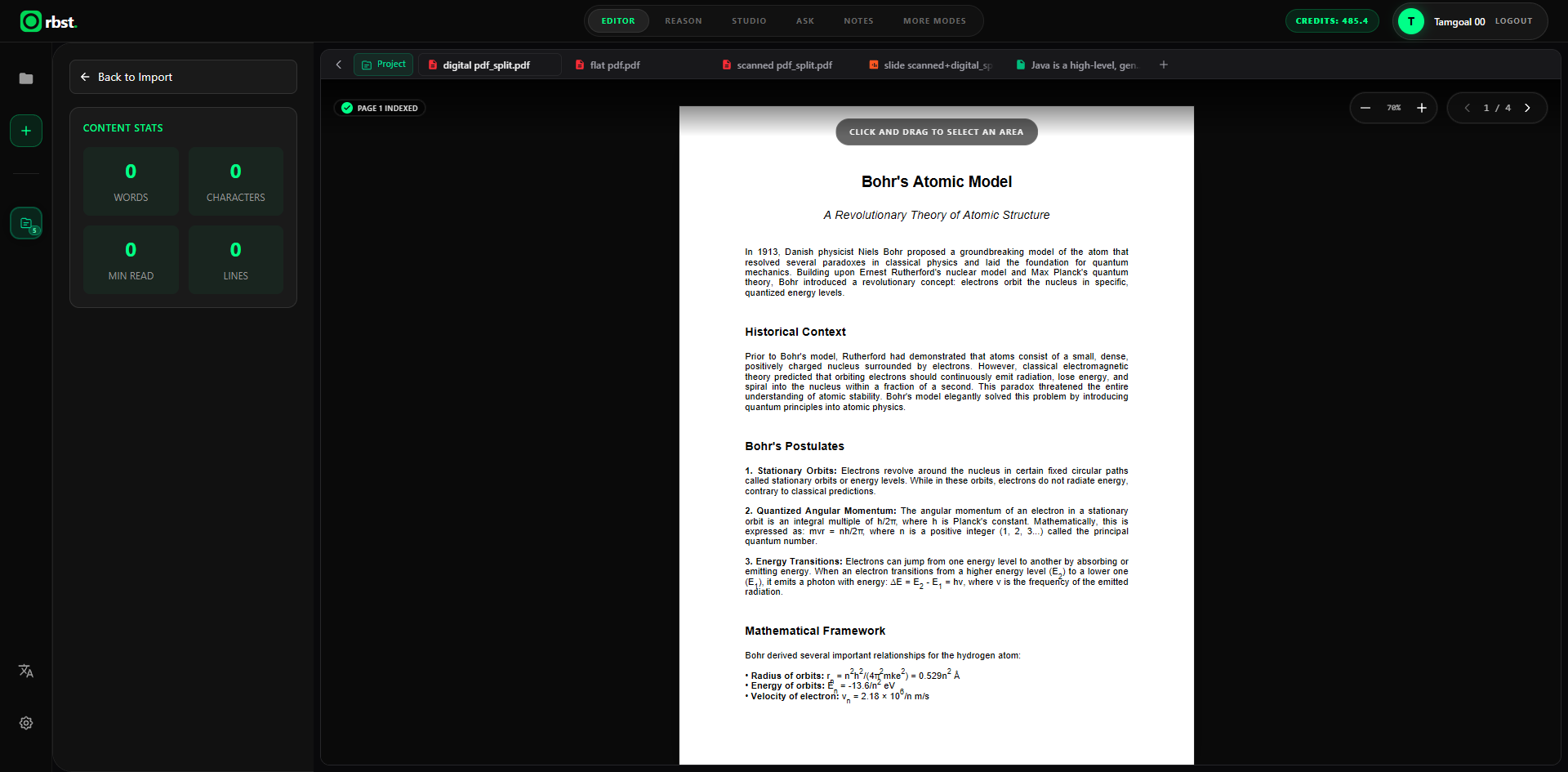
Upload a single file or drop an entire folder of PDFs, PowerPoint decks, Word documents, and text notes into one project. Before indexing begins, a unified upload card lets you pick exact page ranges per file—so you never waste time or credits indexing irrelevant appendices.
Once inside the workspace, every source lives as a clean tab on the left while your AI session stays uninterrupted on the right. You can also click and drag directly over any formula, chart, or paragraph on a page to ask about that exact visual region.
2. Ten Purpose-Built Modes in One Top Bar
Instead of cramming every task into a generic chat prompt, Orbst separates your workflow into focused modes right in the workspace header: Editor, Reason, Studio, Ask, Flashcards, Quiz, Notes, Summary, Mind Map, and Insights.
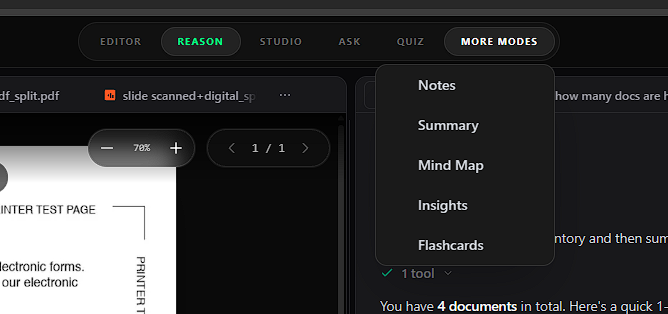
- Ask gives you fast, low-latency retrieval Q&A.
- Reason runs a multi-step agentic tool loop—searching across files, reading full pages, and inspecting embedded images—when a question requires verification or cross-referencing.
3. Verifiable Line-Level Citations Across Every File
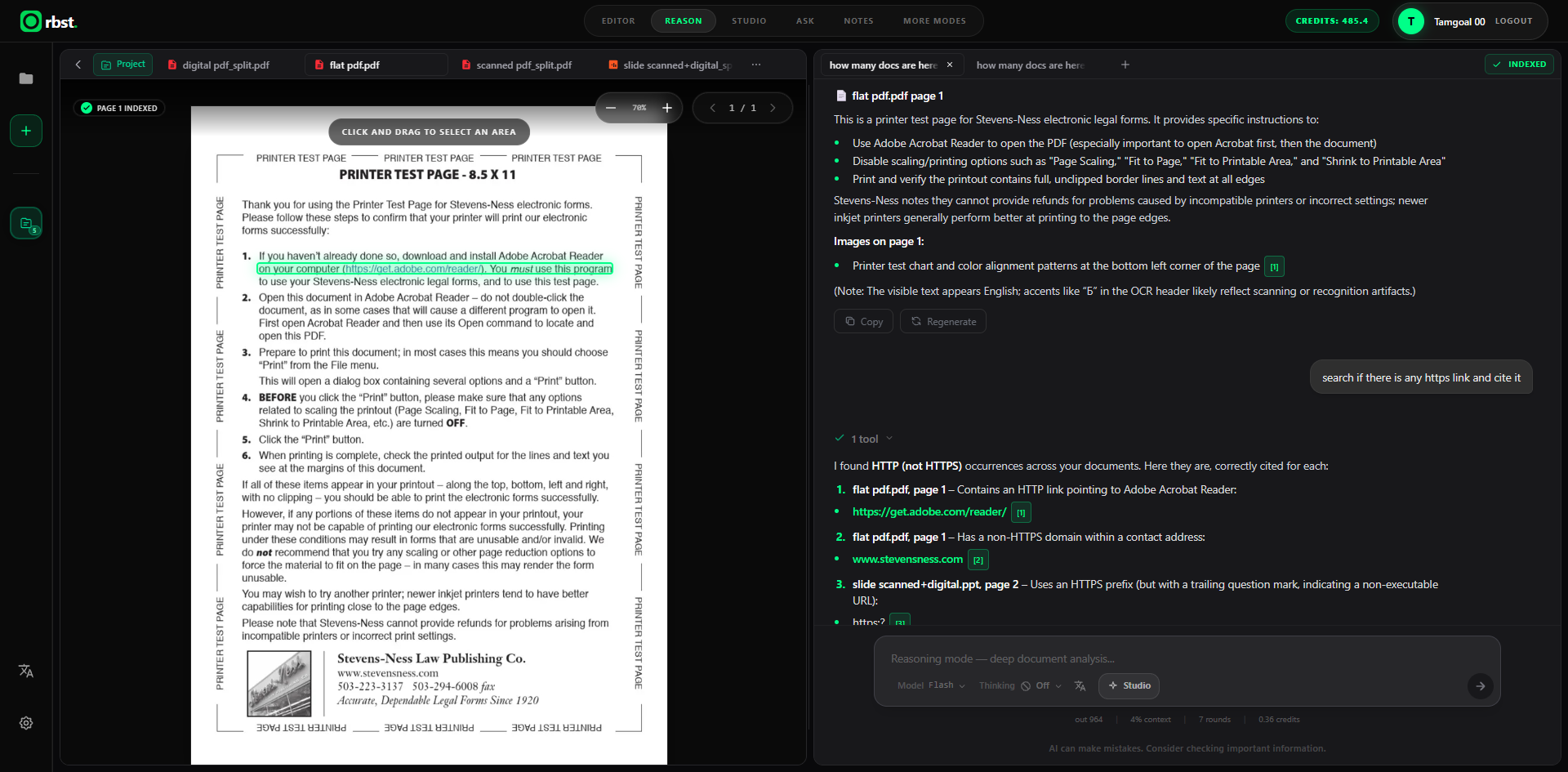
In Reason mode, Orbst doesn't guess from a truncated snippet. It executes real search, page-read, and image-inspection tools across your project and attaches clickable citation chips ([1], [2], [3]) to every claim.
Click any citation chip and Orbst automatically switches to the right document tab, jumps to the exact page, and highlights the exact line in green—so you can verify every number, URL, or clause in seconds.
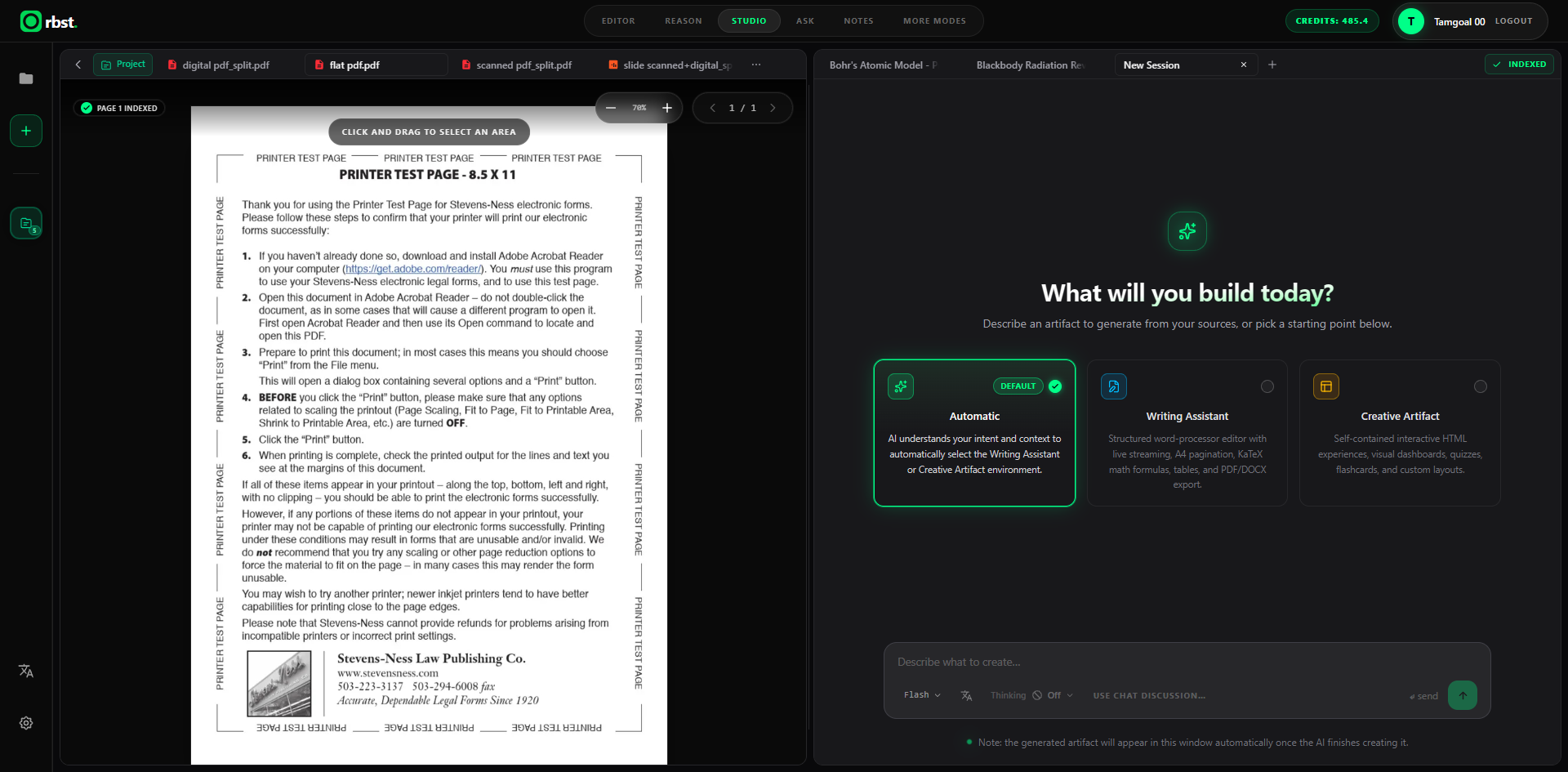
4. Studio: From Raw Sources to Finished Documents & Interactive Artifacts
Most PDF chat tools stop once they output markdown in a chat bubble. Orbst Studio turns your documents (or your chat discussion) into real deliverables with two environments:
- Writing Assistant — A structured, A4-paginated word processor with live streaming, KaTeX mathematical formulas, tables, formatting tools, and versioned conversational edits.
- Creative Artifact — Self-contained interactive HTML dashboards, visual explainers, calculators, and custom layouts grounded in your sources.
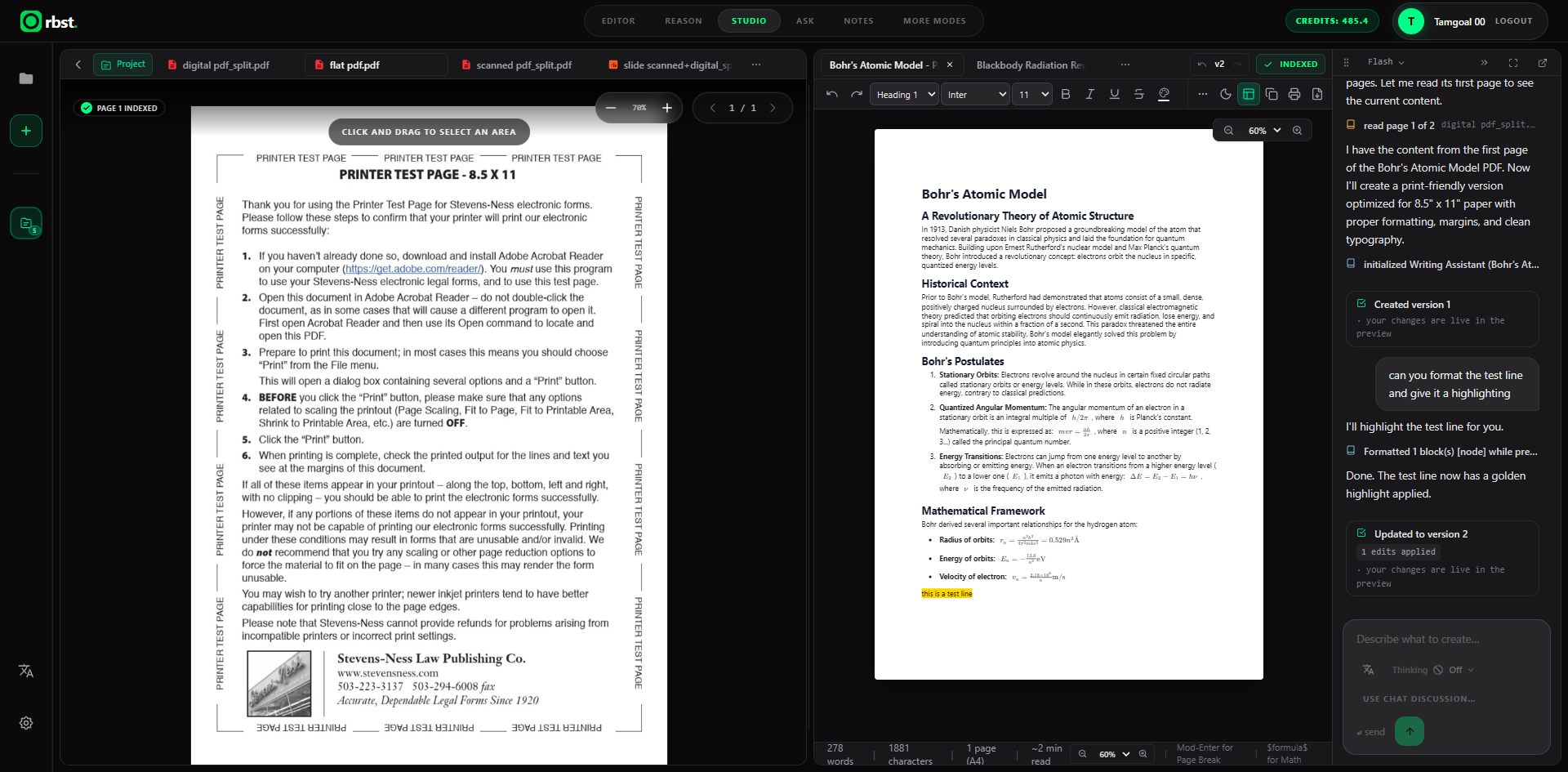
Need a section rewritten, a formula formatted, or a key line highlighted in yellow? Just ask in the Studio sidebar. Orbst applies targeted edits directly inside the document (v1 → v2) while keeping version history intact.
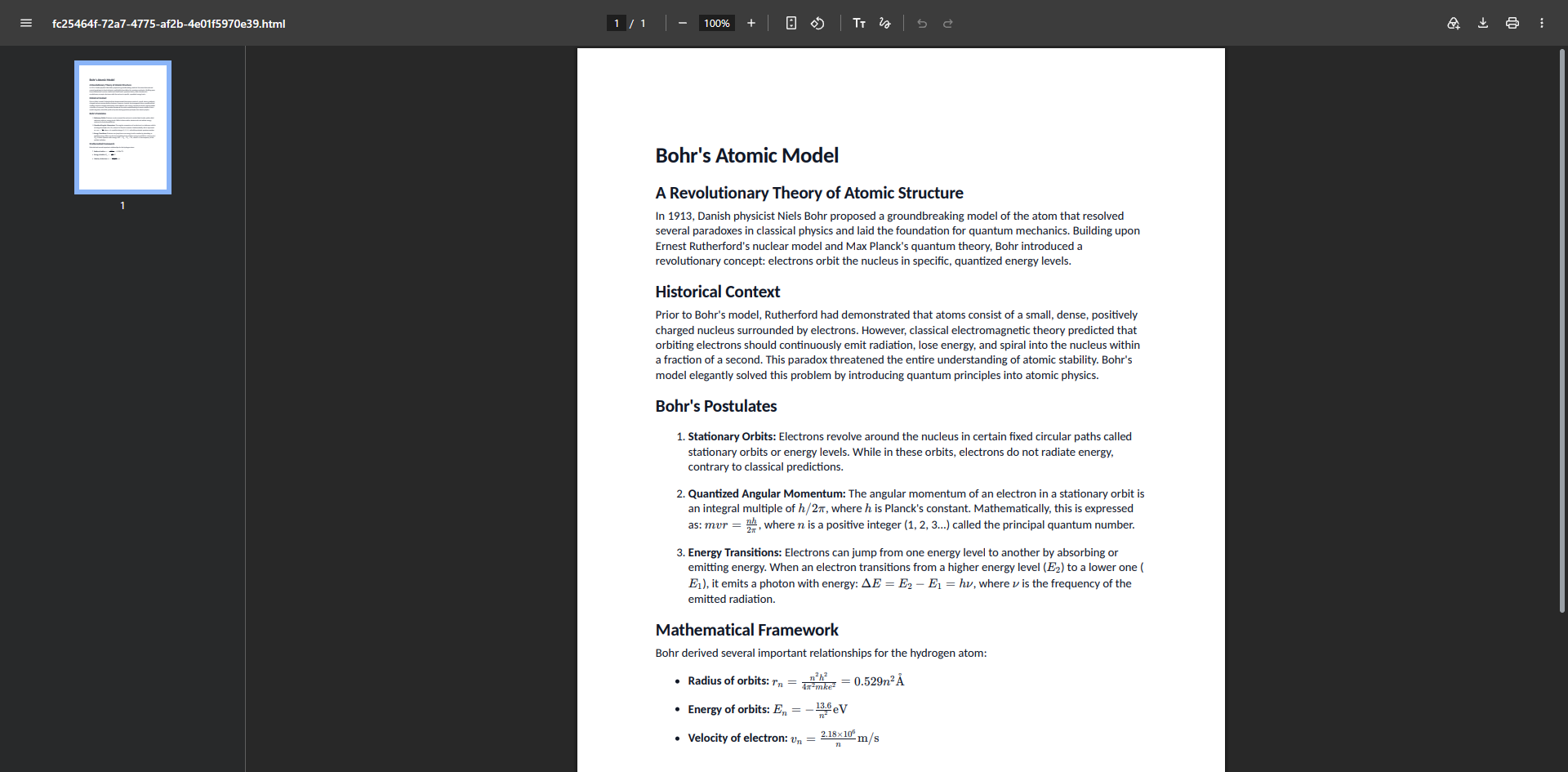
5. Clean, Print-Ready PDF & DOCX Export
When your report, study guide, or formatted document is ready, export it straight from the Editor or Studio to a crisp, paginated PDF or DOCX—preserving headings, margins, lists, tables, and rendered mathematical equations.
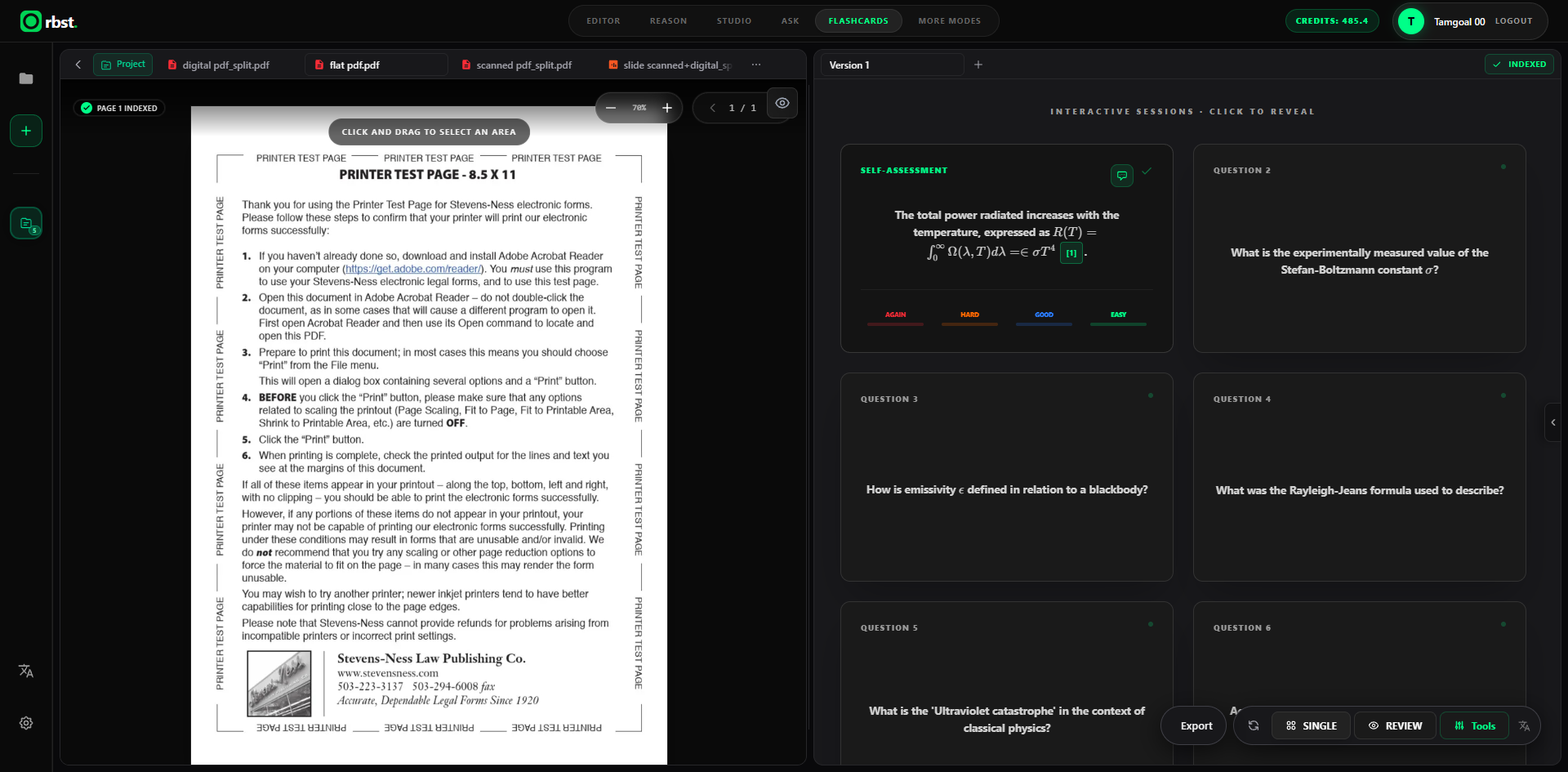
6. Built-In Active Recall: Flashcards, Quizzes, Notes, and Mind Maps
For students and lifelong learners, understanding a document is only half the job—retaining it is the other half. Orbst generates Flashcards with full LaTeX support, clickable source citations right on each card, and spaced-repetition confidence ratings (Again, Hard, Good, Easy), alongside Quizzes, Structured Notes, Summaries, and Mind Maps.
Ready to Try the Complete Workflow?
Stop juggling separate PDF readers, AI chat tabs, note apps, and flashcard tools. Upload your documents into Orbst and go from raw files to verified insights, finished documents, and active mastery in one workspace.
Ready to study smarter?
Try Orbst Free